
Fuzzy search with ⌃ R
⌃ R opens a fuzzy search over what you have actually run. Type any fragment — the letters do not have to be adjacent — and the list narrows. Each row carries context the plain shell version throws away:- when you last ran it, as a relative time
- whether it failed, from the exit code
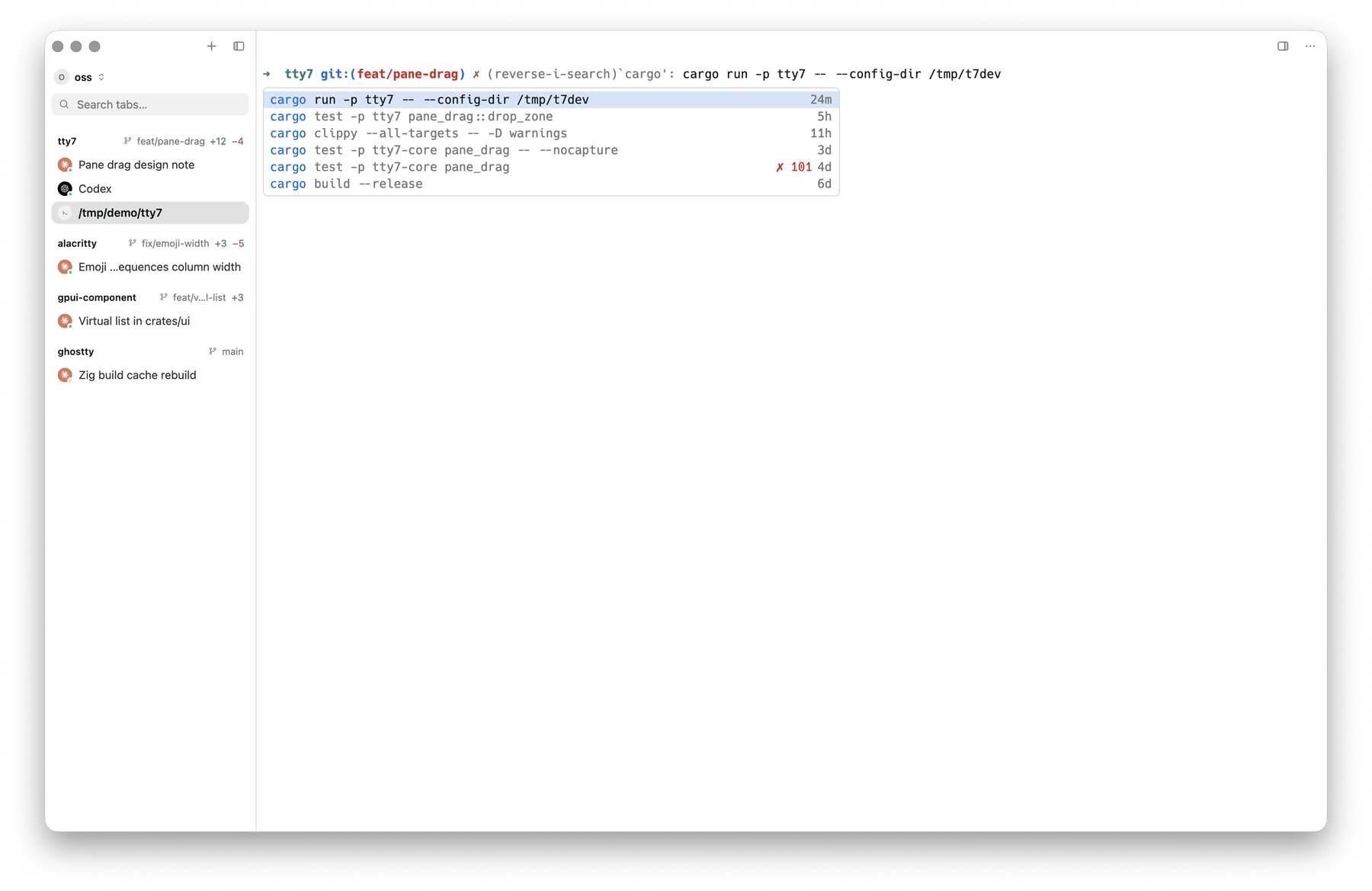
⌃R: fuzzy matches with relative time, a failed run marked by its exit code
Handing ⌃ R back
If you already have an fzf, percol, atuin or McFly binding you like, turn off Settings → Terminal → Prompt & command history → Command history search (history_search: false).
⌃ R then goes to the shell, and whatever you bound there keeps
working.
That releases ⌃ R and nothing else — ↑ still walks tty7’s
own history list. To give the shell the whole prompt, including ↑ and
whatever widget you bound to it, turn off
the prompt editor
(prompt_editor: false).
Where the history comes from
Your existing shell history file, as-is. Nothing is imported or converted, and a history written outside tty7 shows up immediately. The per-row extras — when you last ran it, whether it failed — come from a small file tty7 keeps alongside it, filled in as you run things. A command tty7 has never seen still appears; it just arrives without a timestamp or an exit code.One history, or one per pane
By default every pane shares your shell’s history file, which is what a terminal has always done: a command typed in one pane is available in the next. Settings → Terminal → Prompt & command history → Separate command history per pane (per_pane_history: true) changes that. Each pane gets a private history file:
- seeded from your real history when the pane opens, so it is not blank
- merged back into your real history when the pane closes, so nothing typed is lost