
cd into another repository and the panel switches with you.
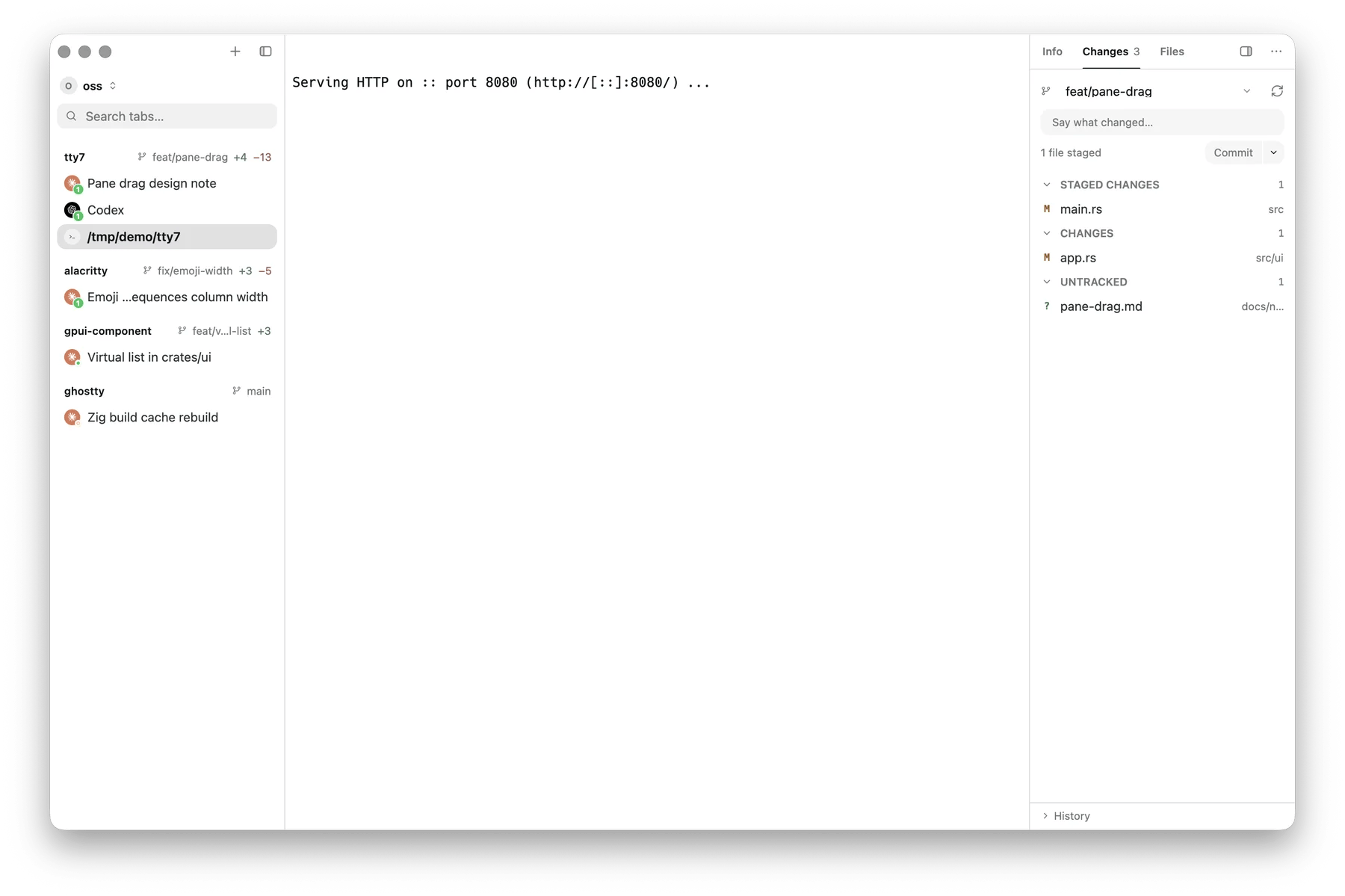
The Source Control panel: branch, commit box, staged and unstaged changes, history
Changes
Files are grouped by what git thinks of them:
Each row has Stage Changes, Unstage Changes, Discard Changes, and
Open Changes — which opens the diff. Group-level Stage All,
Unstage All, and Discard All sit on the headers, and the destructive ones
confirm first.
Committing
Write the message in the box at the top and pick a commit action:
⌘ ⏎ commits while the caret is in the message box. Stash All is
there too.
Branches and remotes
The branch name at the top of the panel is a dropdown. It holds:
Beside it, the sync button pulls then pushes — and relabels itself Publish
Branch when the branch has no upstream yet.
Search Everywhere carries the verbs under Git — Git: Commit, Stage
All, Unstage All, Discard All, Create Branch, Sync, Push, Pull,
Fetch — so those are bindable. Checking out is a pick rather than a verb, so
it lives only in the dropdown.
When a repository is mid-operation — merging, rebasing, cherry-picking,
reverting, bisecting, applying — the panel says so instead of pretending
everything is normal.
History
The History section header opens the commit graph: branches drawn as lanes, a filter box, Current Branch or All Branches, and Load more at the bottom. Git: Toggle Commit History does the same from the keyboard. It ships with no default key — bind one under Settings → Keyboard Shortcuts. Click a commit for its detail view — message, parents, and the files it touched, each openable as a diff. From a commit’s menu:
The history section starts collapsed and remembers whether you opened it
(
scm_graph_expanded).
In the sidebar
You do not have to open the panel to know where you stand: every sidebar row carries its pane’s branch and a+N −M count of
the working tree, refreshed on cd and when a command finishes. Clicking the
counts opens the diff overlay.