
Pane
A pane is one terminal: one shell (or one program) attached to one PTY. It is the only thing in tty7 that actually runs something. Panes have stable ids —%42 — for their whole life. That id is what the
CLI addresses, and what $TTY7_PANE holds inside the pane
itself.
Tab
A tab is a layout of panes. One pane to start with; split it and the tab holds two, arranged in rows and columns you can drag around. Tabs appear in the sidebar (or the top strip, if you move it there). A tab’s label is the best evidence tty7 has: a name you set, else the coding agent running in it, else the last segment of its working directory.Workspace
A workspace is a named set of tabs — a project, usually. One window shows one workspace at a time, and ⌘ ⇧ O opens the switcher to move between them or open a second window on another one. The switcher is one flat list, most recently used first — local and remote workspaces together, each row wearing the machine it lives on. Typing filters by workspace, tab, or machine name, so typing a machine’s name is how you see just that machine. ⌘ ⇧ N opens the New Workspace form, where you pick the machine (this computer, or any configured SSH host) and optionally a name. The first nine workspaces are also numbered 1 to 9: the number sits beside each one in the switcher, and the Window menu lists them in that order. Numbers go by the order the workspaces were first opened on this computer and do not change as you switch between them, so a key bound to Go to Workspace 3 (SelectWorkspace3, unbound by default) always reaches the same
one. Deleting a workspace moves the ones after it up a number.
Workspaces are how tty7 keeps ten repositories from becoming forty
indistinguishable tabs. They also travel: a workspace on a remote machine is
still a workspace, opened from the same switcher.
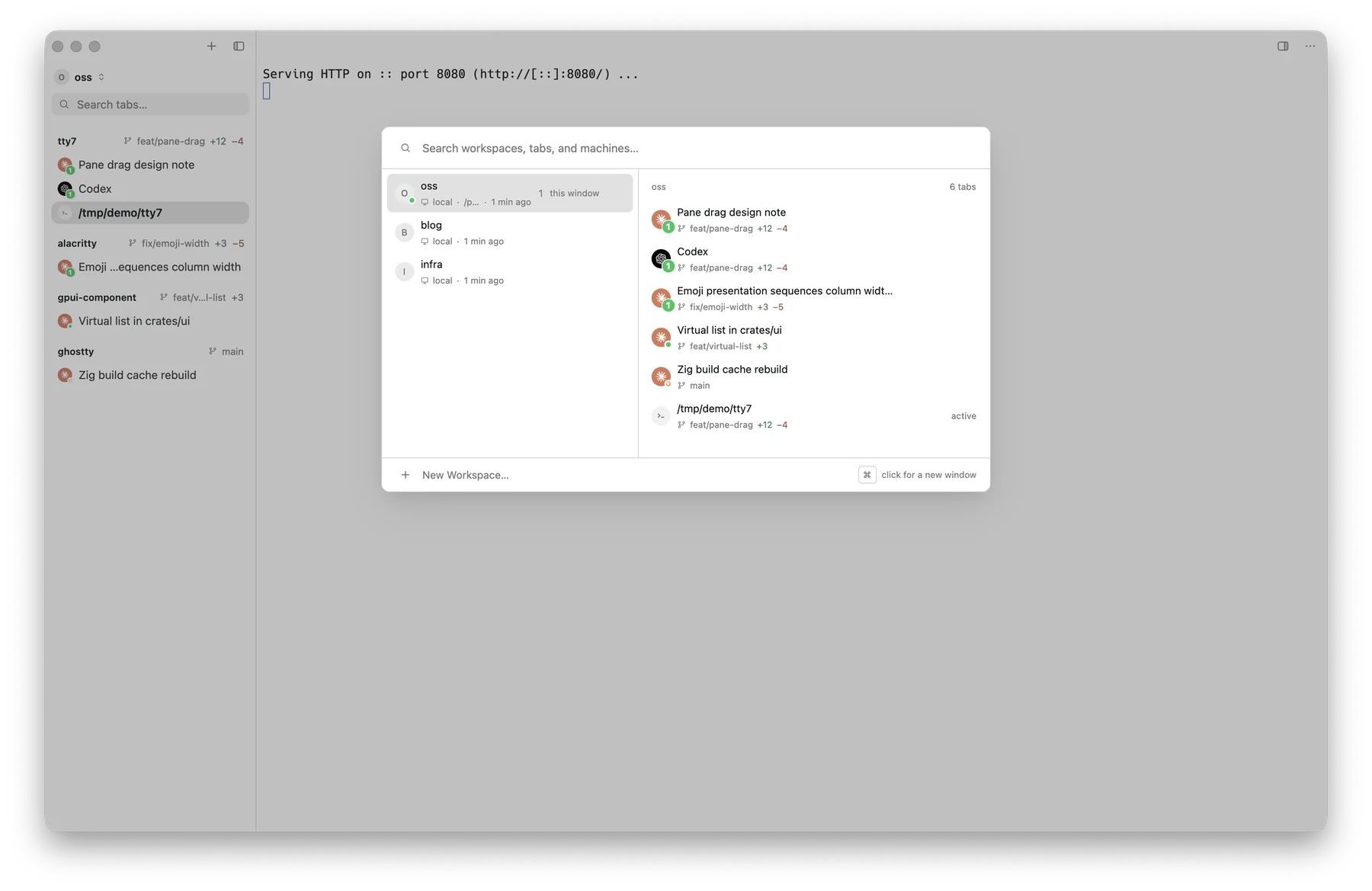
The workspace switcher: workspaces on the left, that workspace's tabs on the right
The server
Here is the part that matters. The window does not own your shells — a background server does. Quitting tty7 closes the window and leaves that server running. Your build keeps building, your agent keeps working, your SSH session stays up. Open tty7 again and it reattaches to exactly what was there. This is also why:tty7works from any terminal. The CLI talks to the same server. The GUI does not have to be running at all.- A crash is not a catastrophe. Panes come back showing what was on them: a capped tail of each pane’s output is kept on disk and handed to the pane that reopens on its id.
- Stopping is explicit. Quit and Stop Server… in the tray menu is the only ordinary way to end everything, and it warns you first.
What survives what
1 A capped tail of each pane, restored once. See
session restore.
Machines
Everything above exists per machine. Your laptop is one; a dev box you connect to over SSH is another, with its own server, its own workspaces, and its own panes. The switcher lists them together, and the CLI reaches them with-m:
The three environment variables
Every pane exports these, and anything you launch from one inherits them:echo $TTY7_PANE is the fastest way to tell whether you are inside tty7 at all.
Drive it from a script
Those ids are the whole interface. The CLI page starts there.