
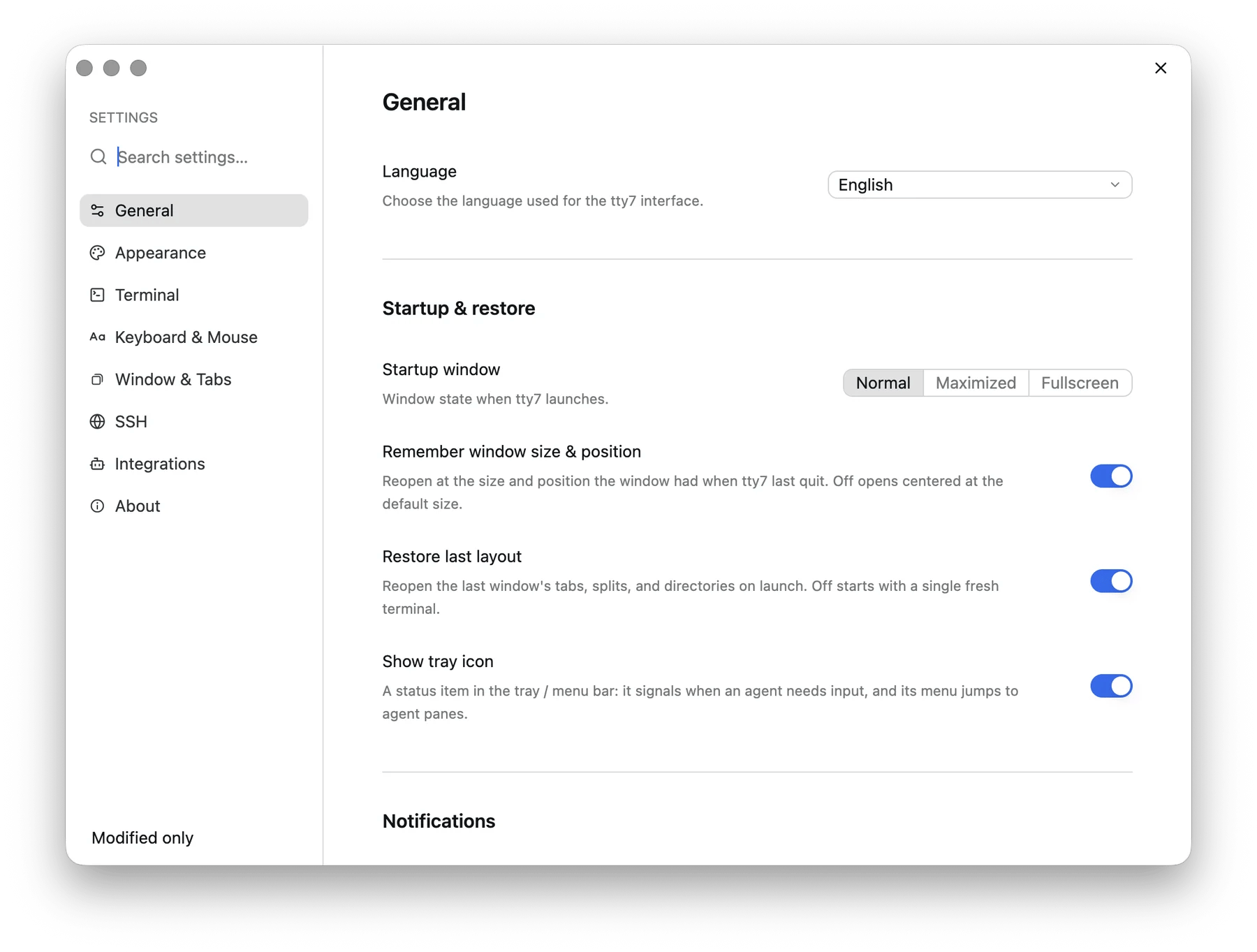
Settings opens in its own window, sections down the left
The seven sections
General
Interface language, default terminal, startup window, size and layout
restore, tray icon, where tabs open and sit, sidebar auto grouping, and
command completion notifications.
Appearance
Theme and colors, interface and terminal fonts, cursor, background image,
transparency, and inactive panes.
Terminal
Shell and starting directory, prompt editor, completion and command history,
scrollback, scrolling, bell, and opening links and files.
Keyboard & Mouse
Keyboard shortcuts, Option as Meta, mouse behavior, selection, and clipboard.
SSH
Recent and saved hosts, each opened and edited in place, and host key
security.
Integrations
AI agent hooks per machine and the tty7 command on PATH.
About
Version and update checks, update preferences and proxy, the settings
file, and the tty7 server.
Search and edit
Search matches setting names, descriptions, English aliases, and configuration keys such asmouse_zoom_modifier. Results are grouped by section and are
editable directly; click a section name to open it. Press ⌘F (Ctrl+F) to jump
to the search box.
Use Modified only to find settings that differ from their defaults. A
modified setting offers Reset beside its name; installation and maintenance actions
do not have a generic reset.
Ordinary controls save automatically. Text fields commit valid values on Enter
or when focus leaves the field. Custom theme edits are previewed until you save;
cancel restores the original theme. SSH hosts also use explicit saving.
Recording a keyboard shortcut that another action already uses asks before
taking it over: Replace moves the shortcut, Cancel leaves both as they
were.
Leaving an edited form offers save, discard, or continue editing.
The settings file
Everything the Settings window writes goes to one file:
The one exception is your saved SSH hosts, which live beside it in
servers.json — so config.json can be synced between machines without
carrying your servers. servers.json →
Set TTY7_CONFIG_DIR to point the whole directory — config, themes, state —
somewhere else.
You can edit the file by hand; a handful of options exist only there. See the
configuration reference for every key, its type, and
its default.
How it handles mistakes
The file is written atomically, and read forgivingly:- A missing key means the default — you only have to write what you change.
- An out-of-range number is clamped into its band, not rejected.
- An unrecognised enum value falls back to the default with a log line, rather than failing the whole file.
- An unparseable file is not overwritten. tty7 starts on defaults, keeps a
copy at
config.json.corrupt, and says so in the log.
A UTF-8 BOM at the start of the file is tolerated, which matters if you edited
it in a Windows editor.