
Ports you did not ask to forward
When a pane is on a remote machine, tty7 watches what its processes are listening on and forwards those ports for you. Start a dev server on the remote:3000 and a moment later a notice says it is at http://localhost:3000 —
same number, no rule to write.
The Ports section of the Info panel is the whole list: one row per listener,
the process that owns it, and where it comes out on this machine. The globe
opens it in a browser, the copy tile takes the address that works from here,
and ✕ takes the forward back down.
Ports are forwarded once each. Remove one and it stays removed — the offer is
made a single time per port, not on every poll.
The local port matches the remote one whenever it is free here. When it is not —
something else on this machine already has :3000 — the OS picks another and
the row says which.
Turn the whole thing off under Settings → Terminal → Links → Forward remote
ports (ssh_loopback_forward: false).
In a remote workspace the ports are found by the
tty7-server on that
machine — the panes are its, and this machine’s daemon has never heard of
them. A server too old to answer says so in the Ports section rather than
showing an empty list; updating it is what fixes that. Panes that ssh’d
somewhere from inside a local pane are a different case: those processes
belong to no tty7 server, so nothing lists them.The three kinds
Adding one to a profile
Settings → SSH → a profile → Port forwarding → + Add rule. Rules saved here open with the connection, every time. A Local or Remote rule needs a listen port and a target; a Dynamic rule needs only the listen port. An incomplete rule tells you so rather than being saved half-configured. Each rule takes an optional description — “what it’s for” — because six months later8080 → 3000 explains nothing.
Adding one mid-session
The + on the Ports section — or SSH: Port Forwarding in Search Everywhere — opens a form asking for one thing: the port the remote is serving on. It comes out here under the same number, and the form says so before you commit to it. Advanced opens the rest of the grammar: remote and dynamic forwards, a bind host other than loopback, a target on some third machine, a description. You need it about as often as you needssh -R.
These live only as long as the session unless you save them into the profile.
Switching a rule off
Every forward in the Ports section has a switch. Off, the forward lets go of its port but keeps its whole rule — kind, ports, target, description — so it can be switched back on without retyping anything. That is how one local port is pointed at different places: keep one rule per target on the same port, and switch on the one you want. Only one of them can hold the port at a time. Switching one on while another still has its port is refused, and the notice names the forward to switch off first. Rules from a profile carry their switch into it, so the next connection opens the same set. The same switch sits beside each rule under Settings → SSH → a profile → Port forwarding; a rule saved switched off is listed but not opened. Rules added mid-session are still gone when the session ends, on or off.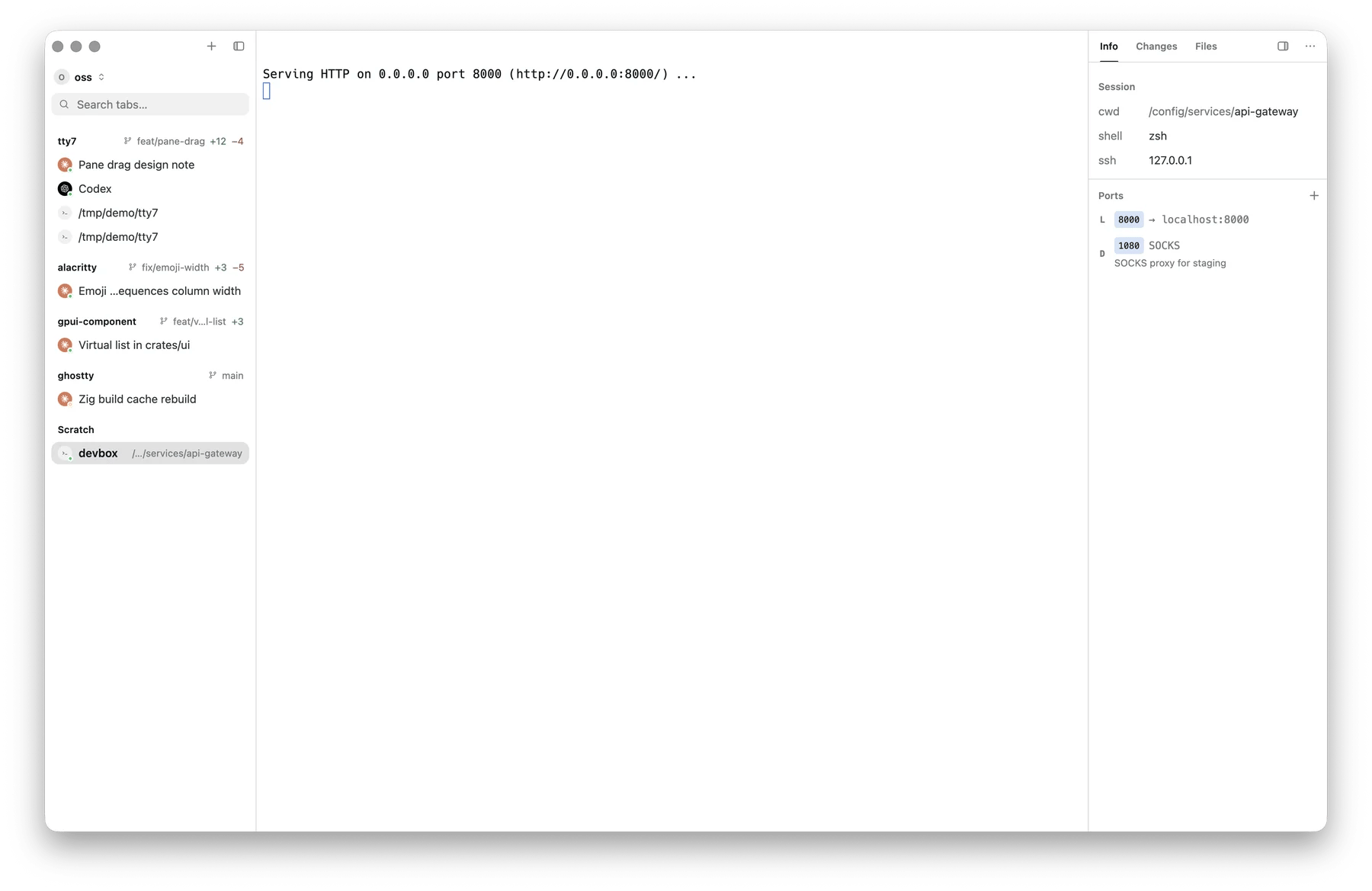
The Ports section with a local forward and a dynamic (SOCKS) rule
Links in the terminal
⌘-clicking alocalhost:PORT link inside a remote pane opens the
forward for that port if there is not one yet, then the browser. Same machinery
as the Ports list, reached from the output instead of the panel.
Jump hosts and proxies
Multi-hop connections are configured per profile:- Jump host — point at another saved profile, or use a
ProxyJumpchain - ProxyCommand — an arbitrary transport command, with
%h,%p,%rsubstituted - SOCKS5 proxy / HTTP proxy —
host:port, under Advanced → Proxies
These proxy settings are for reaching the SSH server. tty7’s own network
traffic — update checks, release downloads, remote-server installs — uses
http_proxy in config.json, the system proxy, or the HTTP_PROXY family.
Programs running in a pane are unaffected either way; they inherit their proxy
from their own environment, as in any terminal.