
Opening one
A diff docks beside the terminal, in the same column an open file uses, so the
pane you were reading stays on screen. Esc closes it, and its header
right-clicks to a menu that fills the window with it if you prefer that —
more about the column →
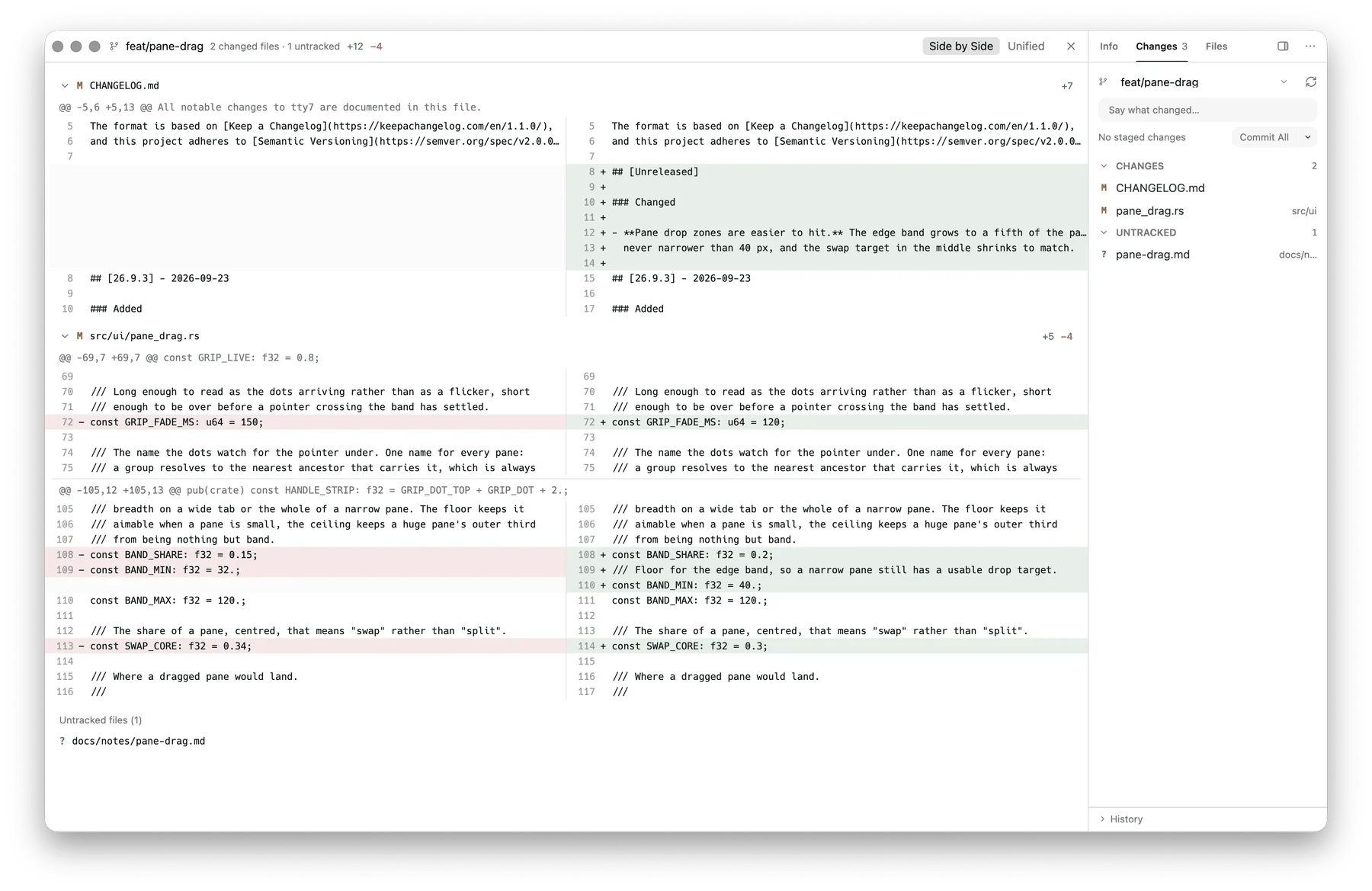
The diff, side by side, across every changed file
Side-by-side or unified
Toggle Unified / Side-by-Side Diff in Search Everywhere switches between the two. The choice is global — one setting for every diff, the same call VS Code’sdiffEditor.renderSideBySide makes — and persists as diff_view in
config.json.
What it shows
- Every changed file, with its status and
+N −M - Untracked files as a preview of their contents, up to 4 MB — past that the card says the read failed rather than showing a silently cut-off file
- A commit’s files, when the diff came from the history
Both are stated in the overlay when they apply — nothing is dropped silently.