
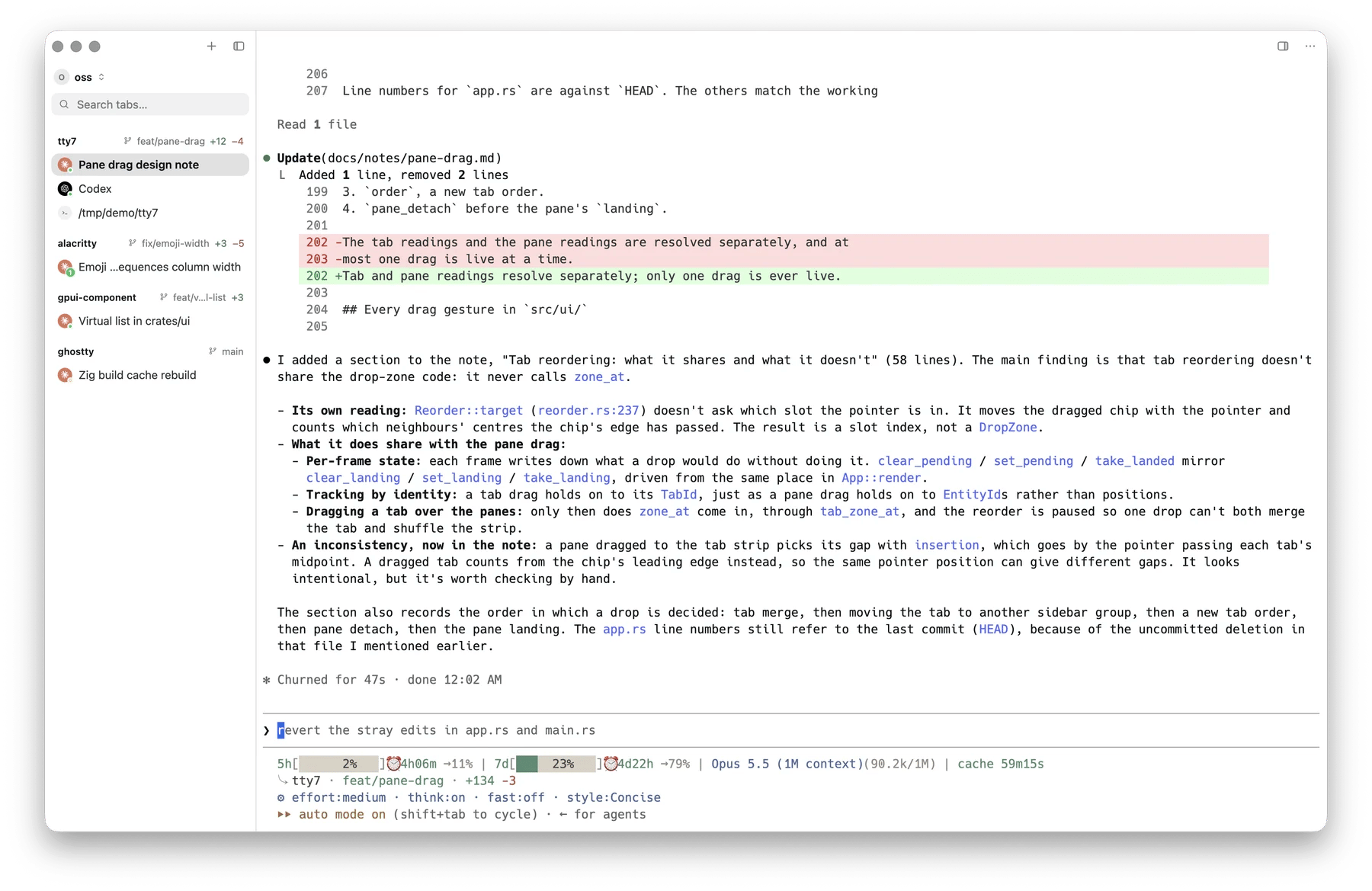
Agent sessions across several repos, each with its avatar, status dot, branch, and diff
Which agents
Twenty-eight CLIs are recognised on sight, by the command running in the pane:
Detection sees through the usual disguises: a full path, a
.cmd or .exe on
Windows, leading environment assignments, and an interpreter in front
(node .../claude/cli.js).
Your own wrapper
If you launch agents through a wrapper script, map its name to an agent inconfig.json:
claude,
codex, traecli, gemini, aider, amp, opencode, copilot, cursor, goose,
droid, pi, auggie, hermes, vibe, antigravity, grok, qwen,
omp, kimi, qodercli, qoderclicn, crush, codebuddy, empryo, prime-agent, muse, jcode).
Quick launch
Every agent tty7 finds on yourPATH is one row away in Search Everywhere: Agent:
Claude Code, Agent: Codex, and so on, most-used first — type agent in
its Terminals tab to list them. The New Tab menu names the ones you have
actually run, three at most, and Other Agents… opens that same list for the
rest. New Agent Tab
(⌘ ⇧ A on macOS, unbound elsewhere) starts whichever agent you used
last.
A launch always opens a new tab in the current tab’s directory and types the
agent’s command into its shell, so the agent is detected, tracked and resumed
exactly as if you had typed it — and quitting it leaves you at the prompt. Each
Agent: … command is bindable too, as LaunchAgent:<slug>.
By default an agent launches as its bare binary (claude, codex,
cursor-agent, …). Give it a command line of its own with agent_launch:
cx above) is recognised as that agent without an
agent_commands entry. To keep the flags a running agent was started with,
right-click its pane and choose Set Current Launch Args as Default; tty7
writes them into agent_launch, minus the session they resumed and any prompt.
In a remote workspace tty7 cannot read the far machine’s PATH, so it offers
the agents it has already seen running there: start one by hand once and it
joins the list. A wrapper named in your local agent_launch is only recognised
over there if the remote config.json names it too.
What you get for free
Just by running an agent in a pane:Brand avatars
The tab chip and sidebar row show which agent runs where, so ten tabs stay
legible.
Git context
The branch and working-tree diff on the row, refreshed as the agent works.
Session resume
A pane lost to a reboot relaunches the conversation, carrying its original
flags. More →
Context feed
Actions that hand the current selection or the repo’s
git diff to
the running agent as a prompt.What needs a hook
Live status — working, needs your input, done — comes from the agent itself, over a channel tty7 installs into that agent’s configuration. It powers the status dots, the notifications, the tray icon, andtty7 wait.
Installing takes one click per agent under Settings → Integrations.
Status and notifications →
Where to go next
Status and notifications
Hooks, status dots, the tray icon.
Sessions
Resume, fork, and copying a session id.
Orchestration
One agent driving another with
tty7 wait.