
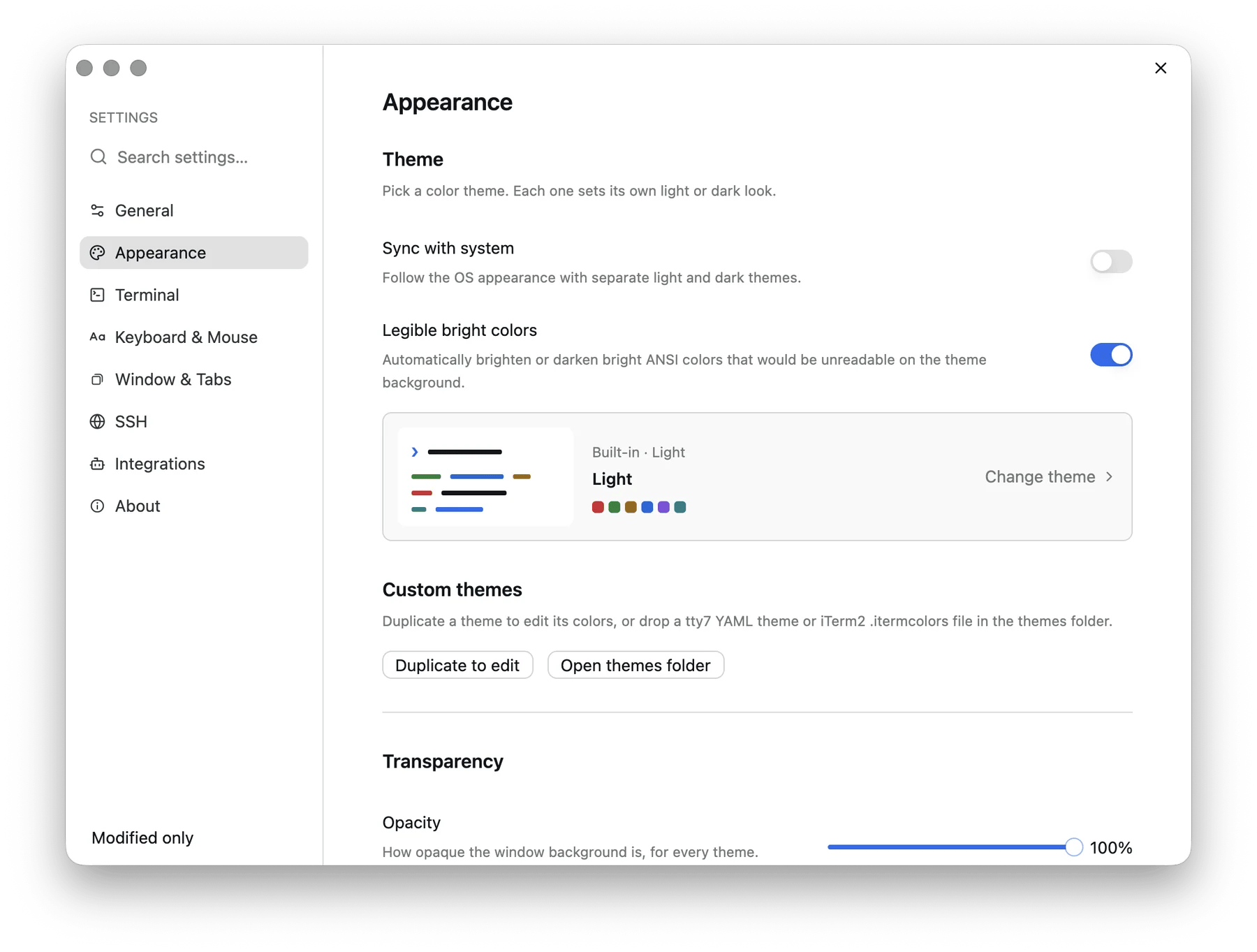
Settings → Appearance
1. Pick a theme
Settings → Appearance → Theme. Nine themes ship built in — Light, One Light, Catppuccin Latte, Rosé Pine Dawn, Dark, Dracula, Harbor, One Dark Pro, and Rosé Pine. The default is Light. Turn on Sync with system to pick a light theme and a dark theme separately; tty7 then follows the OS appearance live. Transparency lives on the same page, under Transparency — opacity applies to every theme, and Follow theme hands the decision back to the theme’s own setting. On Windows there is also a Background material picker (Mica, Acrylic, and friends). More about themes →2. Choose your shell
Settings → Terminal → Shell. Leave Program empty to use the platform default. Otherwise it takes an executable name on PATH or an absolute path (zsh, fish, pwsh, nu, /opt/homebrew/bin/bash), plus Arguments —
-l for a login shell, say. Arguments split the way a command line splits, so
quote anything that contains a space: -c "echo hi" is two arguments, not
three.
Start in decides what a fresh shell opens in: tty7’s launch directory
(the default), your home folder, or a fixed path. New tabs and splits keep
inheriting the active pane’s directory either way.
3. macOS only: decide what Option does
Settings → Keyboard & Mouse → Keyboard → Option (⌥) acts as Meta. Off (the default), ⌥ B types∫, which is what macOS has always
done. On, it sends the escape chord shells expect, so ⌥ B moves back
a word and ⌥ ⌫ deletes one. Turn it on if you live in readline;
leave it off if you type accented characters.
4. If you use coding agents, install the hooks
Settings → Integrations. tty7 detects 25 coding CLIs by process name on its own — you get brand avatars and tab labels for free. The status dots, the “needs your permission” notifications, andtty7 wait all need one more thing: a small
hook the agent calls to report what it is doing.
Click Install next to Claude Code, Codex, TraeCode, Copilot CLI, OpenCode,
Pi, Grok Build, or Oh My Pi. It writes into that agent’s own config directory and can be
removed from the same row.
More about agents →
5. Know what Quit does
Plain Quit closes the window and leaves the background server running. Your shells, builds, and agent turns keep going, and reopening tty7 reattaches to them. To actually stop everything, use Quit and Stop Server… from the tray icon’s menu. It says so plainly before it does it: anything still running in your shells is terminated, while your tabs and layout are kept and reopen with fresh shells.This is why there is no tmux in the picture. The persistence is not a feature
of your shell setup — it belongs to the server underneath.
Core concepts →
6. Tune the notifications
Settings → General → Notifications. By default tty7 posts a desktop notification when a foreground command that ran longer than 10 seconds finishes — but only while the window is unfocused. Set Notify on command finish to Never or Always, and move the threshold if 10 seconds is the wrong number for your work. Agent notifications (“needs your permission…”, “finished after 42s”) follow the same policy.7. Coming from tmux?
Settings → Keyboard & Mouse → Keyboard shortcuts → Preset → tmux remaps pane and tab actions onto a prefix, ⌃ B by default. ⌃ B C opens a tab, ⌃ B % splits, ⌃ B then an arrow moves focus. A bare prefix reaches the shell after about a second, and prefix plus an unbound key passes straight through — so a tmux binding you did not remap still lands in whatever is running. More about keybindings →Where things live
Everything in the Settings window writes to
config.json, and you can edit it
by hand instead — see the configuration reference.
Set TTY7_CONFIG_DIR to move the whole directory somewhere else.
Next
Core concepts
Workspaces, tabs, panes, and the server that owns them.
The prompt
Suggestions, completion, and history search — the part you touch most.