
split,
commit, sftp — and the page narrows to the shortcuts for it. Action names
work as well as labels, so a binding you read about in keybindings.json is
one search away from the row that sets it.
Rebinding
Click a shortcut and press the new keys. It saves after a brief pause.
Leaving an action unbound is how you hand a key back to whatever is running in
the terminal: ⌥ 1…⌥ 9 jump between tabs by default, and
vim wants them for its own tabs. Clear the nine Go to Tab rows and the
digits go straight through. A cleared row shows
— and grows a Reset
button, which puts the default back.
Restore all defaults at the bottom undoes every rebinding at once. There is
no undo for that one.
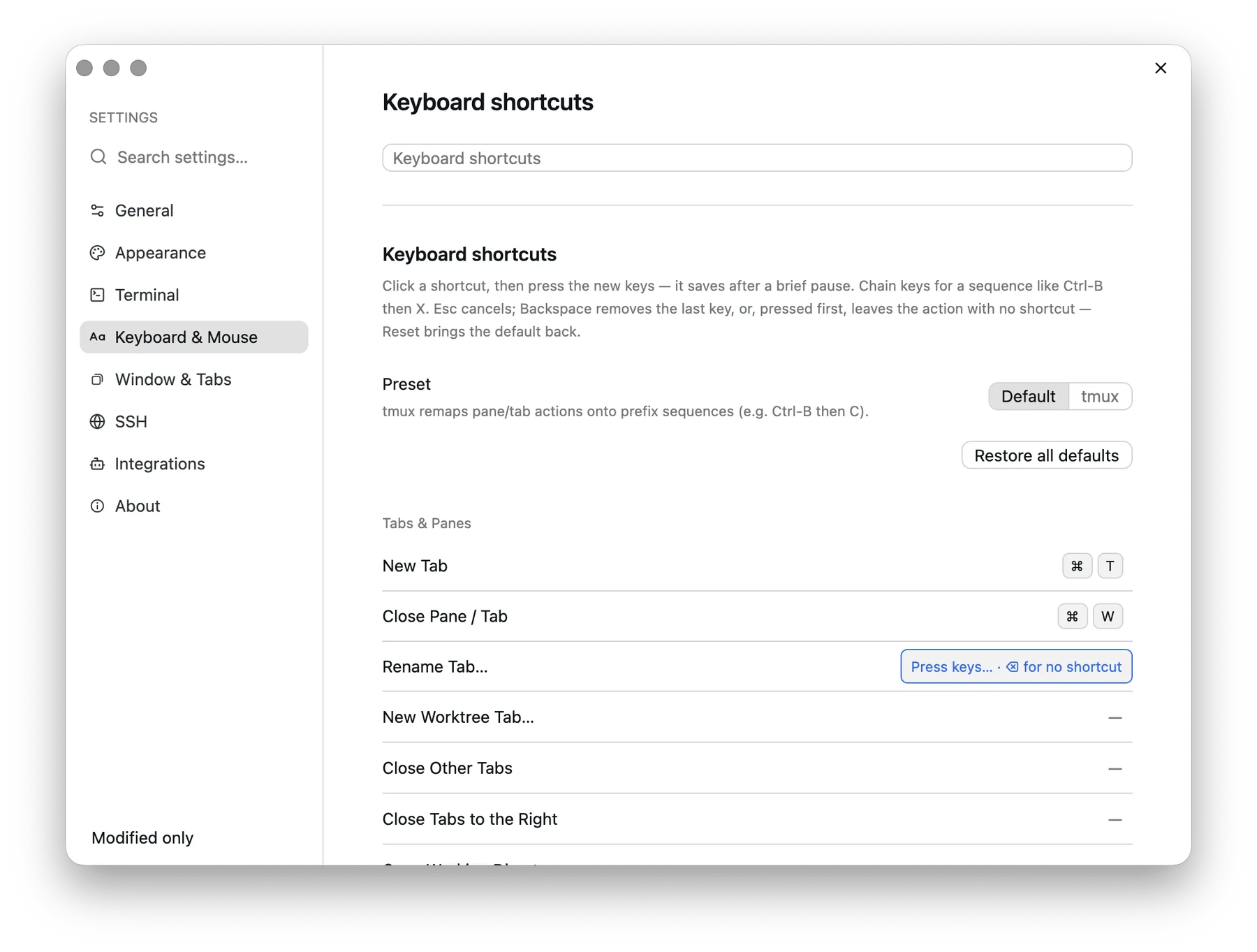
Rebinding a shortcut: the row waits for “Press keys…”
Actions with no default key
Some actions ship deliberately unbound, because there is no obvious key left to take: pane resize and swap, workspace selection, most git commands, SFTP, and the panel tabs. They are all in Search Everywhere, and all bindable here.Editing config.json instead
Recording a shortcut on the Settings page replaces, so it writes the list
shape. A shortcut you add that another action already uses is the one that
runs. The exception is the terminal’s own shortcuts: copy, paste, find, clear
scrollback and insert newline keep theirs while a terminal has focus.
Up to 26.9.2 a string replaced the default, and the Settings page wrote
strings. So a shortcut you recorded in those versions now works beside the
default it was meant to replace. To drop the default again, record the shortcut again
or wrap it in a list:
"NewTab": ["cmd-shift-n"].
The syntax is modifiers joined by -, then the key. Chords are separated by a
space.
To keep a key for the program running in the terminal, unbind the action that
holds it. vim’s tab keys, for instance:
The tmux preset
Settings → Keyboard & Mouse → Keyboard shortcuts → Preset → tmux remaps pane and tab actions onto a prefix — ⌃ B by default, changeable in the Prefix field beside it.
Two details that make it livable:
- A bare prefix reaches the shell after about a second, so ⌃ B still works as “back one character” when you meant it.
- Prefix plus an unbound key is passed straight through to the terminal, so a tmux binding you did not remap still lands in whatever is running.